
Club Newsletters
By Tom Winter
Communication is the one thread that keeps all modelers together and is the single best way to advance our hobby and keep interest from dwindling. Newsletters fill a critical gap on the local level. With today's home computers and a few tried-and-tested guidelines, your club should investigate starting (or restarting) one.
Many model airplane clubs are now without a newsletter. Often the old, dedicated editor couldn't continue (or passed away), a change of hands didn't work out, or the club went through several editors in a short time. The result is the same: the club gets used to doing without a newsletter. Without that "glue," some grand old clubs have been reduced to little more than a contact person and a residual bank account. Model flying is better with a club than without one, so a how-to on newslettering may be as useful as how-to articles on building, flying, or soldering.
Getting material
Most important things first — essential material:
- A calendar of upcoming club events (contests, meets, meetings).
- Reports of recent club events and contests.
- Meeting minutes or summaries.
- How-to articles, construction tips, and member experiences.
- Letters and correspondence from members or friends.
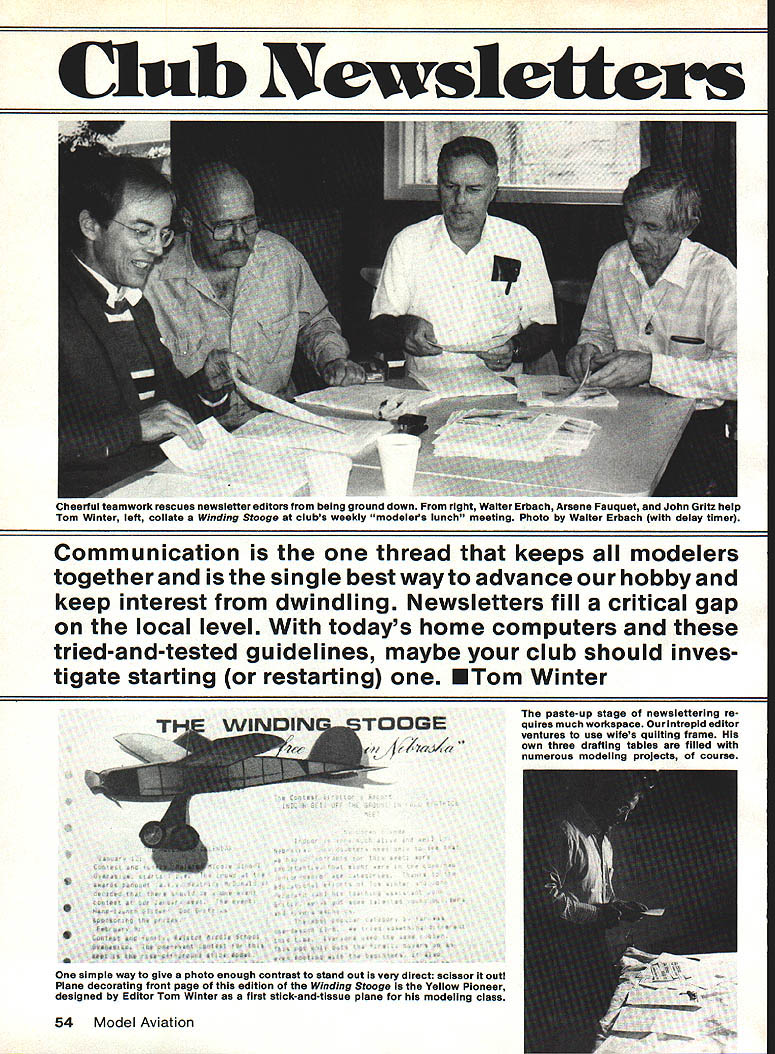
When I took over the Winding Stooge newsletter there was no events calendar. First step: line up events for the next club year and get sites booked. Members love contest reports — even if they don't know the contestants — and having meetings written up builds a permanent record. Members who show up, compete, tow, or otherwise participate deserve recognition.
Pretend you're a newspaper reporter; be alert for stories. At a lunch an experienced modeler may tell of something he has done — take notes and write it up later. If you learn something new, fellow club members will want to know about it. You yourself are likely an important source of how-to articles; encourage members who have good material to write it up for the readership.
Be a gradualist: dedicate a drawer (physical or digital) to newsletter material and build a reserve of articles. Work on short items in odd moments — jot notes with a pencil, type up a quick piece, put it in the drawer. A reserve lets you plug in good material to match available space and deadlines.
Advantages of a gradualist drawer:
- Eliminates last-minute panics and cramming before an issue.
- Preserves the editor's morale and reduces burnout.
- Gives time for better editing and selection — you can be picky and choose the best items.
- Allows use of letters and correspondence as readable content. Letters are often easier for members to produce than formal articles and can be printed selectively without hurting feelings.
Reprinting from magazines: avoid reprinting recent magazine material unless it is obscure or of special historical interest. If you reprint a living author's work, seek permission and credit the source.
Matching material to space
Decide what must appear in each issue and what can be deferred. After a few issues you'll have a three-part list: must-include, should-include, and can-include. Usually that list will be longer than the available space — a good problem to have.
Postal weight defines practical limits: in the U.S., going past one ounce nearly doubles postage. Practical experience shows six sheets of paper is a workable limit for a single issue. Printing on both sides can get you a seventh or eighth page but can increase cost or cause duplicating problems (show-through, smudges). The choice of duplicating method governs layout and what you can do with pages and photos.
Duplicating methods (overview)
- Spirit stencil (blue copies): very economical if accessible, but editing a stencil is difficult; usually requires perfecting the text on plain paper before typing the stencil.
- Thermofax: make a Xerox copy of the typed sheet, feed it to the Thermofax to make a stencil, then run off copies. Easier to edit than spirit stencils; quality can vary and requires skill or a reliable operator.
- Mimeograph: produces black copies with grease-based ink; economical and easier to correct the stencil, but pictures are difficult and page layout is limited (unless you have an electronic stencil maker).
- Xerox (photocopy): best for pictures and flexible layouts. Costs have come down; self-service copy centers (e.g., Kinko's) may offer lower rates during off-peak hours. Example: 100 copies × 6 pages × $0.03 = $18.00 during a discount period.
Mixing methods can save money: mimeograph the inside pages and Xerox the front page with pictures and a newspaper-style layout, for example. Know the strengths and limits of the "printing press" you will use.
Editing
Editing is mostly checking spelling, punctuation, and clarity. Readers will overlook small shortcomings for the sake of the club, but clear, correctly spelled text improves enjoyment. If you're uncertain about words like then/than or its/it's, look them up and learn the correct usage.
For larger-scale editing:
- If a sentence doesn't make sense after two readings, contact the author for clarification.
- Once you understand the intended meaning, rewrite to make the sentence clear and self-contained.
- Make stylistic nudges where needed; remove redundancy and tighten prose.
Layout and paste-up
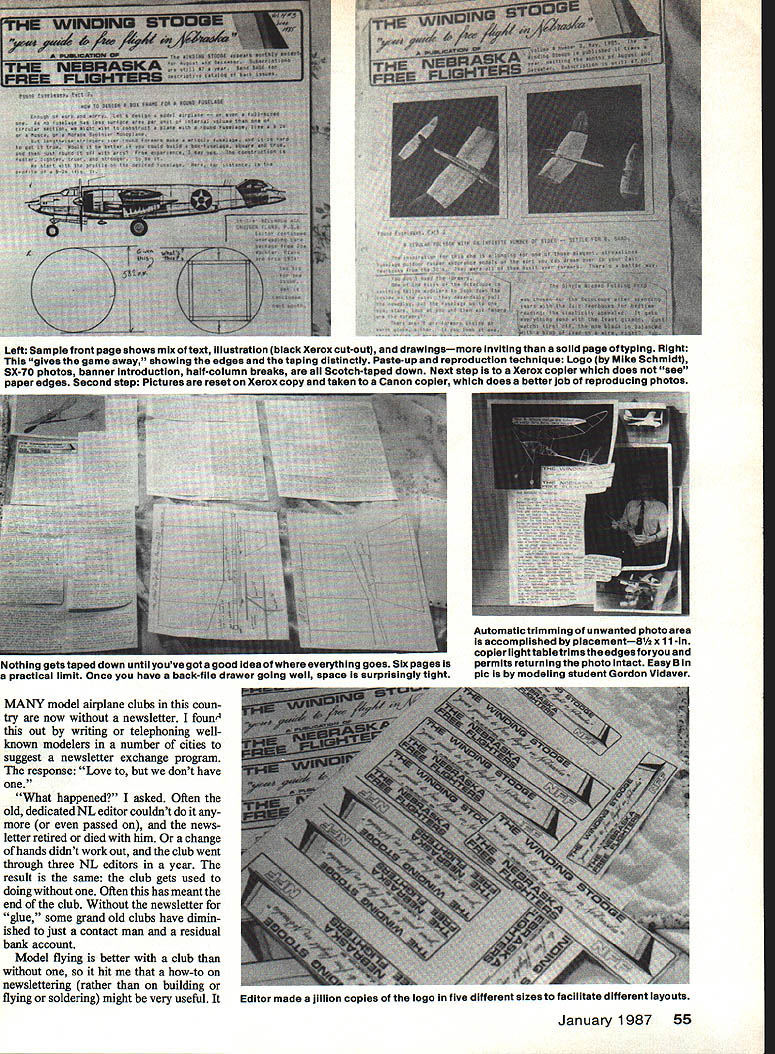
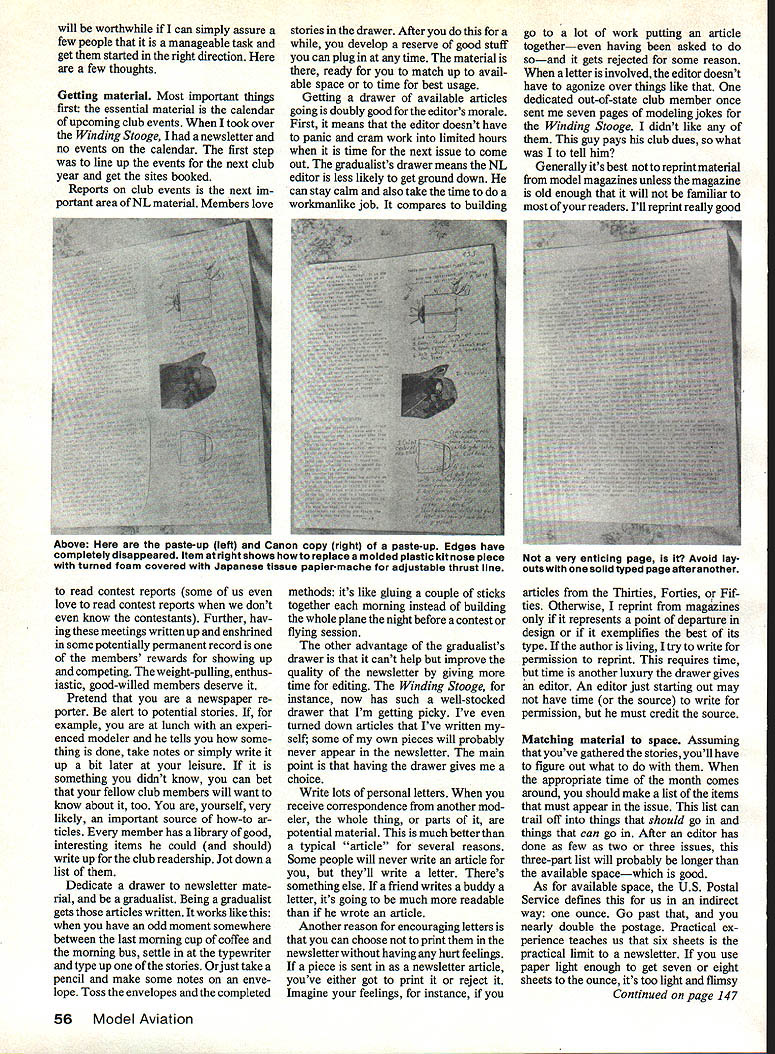
Newspaper-style layout is done by cutting out text, headlines, and illustrations and sticking them to a backing sheet. Practical tips:
- Nothing gets taped down until you have a clear plan for the page.
- Six pages is a practical paste-up limit due to handling and mailing weight.
- Type text with half-page margins to make column layout easier; use a marker to outline columns on the backing sheet so you can see through when typing.
- If using a computer, print articles full-page and half-page width to allow flexible headline and column placement.
- Glue-stick typed sheets smoothly and in line on the backing sheet.
- Photos usually need trimming. If you must return a photo intact, achieve a crop effect by allowing the unwanted portion to overhang the layout edge or slip under text; the copier will omit the overhang.
Paste-up reproduction requires workspace and care. Placement on 8-1/2 × 11-inch paper permits returning photos intact while still cropping visually.
Mailing and distribution
Tools that help:
- A self-inking return-address stamp saves time.
- Type address strips and photocopy onto adhesive label sheets, or use computer labels if available.
- A typed mailing list printed in columns and cut up can be a low-cost way to create stick-on labels.
Mailing preparation typically involves several passes:
- Apply return addresses (one pass).
- Apply outgoing addresses (second pass).
- Affix postage (third pass).
- Collate and staple pages into completed newsletters (fourth pass).
- Fold and staple shut, or otherwise finish each newsletter (fifth pass).
To reduce work, hold a newsletter-stapling party with volunteers and set a firm deadline so everything is ready for the multiple passes. Volunteers enjoy the social aspect, and someone living near the Post Office can often drop the batch off on the way home.
Proofreading
Have someone other than the writer/typist proofread every issue. Writers become blind to their own typos; a fresh pair of eyes will catch errors before you run off copies. Proofreading should include checking a printed proof and then correcting errors before final duplication. Catching mistakes after mailing is painful; avoid it when possible.
Closing thoughts
These are the nuts and bolts of what your newsletter editor does — or what you might do for your club. A well-run newsletter preserves club history, recognizes members, spreads knowledge, and keeps the club alive. Words have wings too; use them to help your club fly.
Transcribed from original scans by AI. Minor OCR errors may remain.

