
Computerize Your Club's Auction
TWICE a year the Northern Virginia Radio Control Club (NVRC) holds a well-attended auction. Typically about $5,000 in merchandise changes hands; the club takes a 10% commission for handling transactions, and many items are donated to the club. Net income to the club from each auction ranges from about $400 to $1,500. Approximately 300 items are sold over a four- to five-hour period.
In the past, handwritten records were kept for every transaction. Purchasers paid the club treasurer as they won bids, but when sellers wanted to leave the entire night's transactions had to be reviewed to compute totals owed (90% of each seller's sales). With 40 or more sellers involved, settlement normally required another hour or two of work by the tired staff.
More recently, a computer has been used to keep track of sales. Settlement was reduced to about 15 minutes, sellers received itemized copies of their transactions, and the treasurer received a master copy of the records.
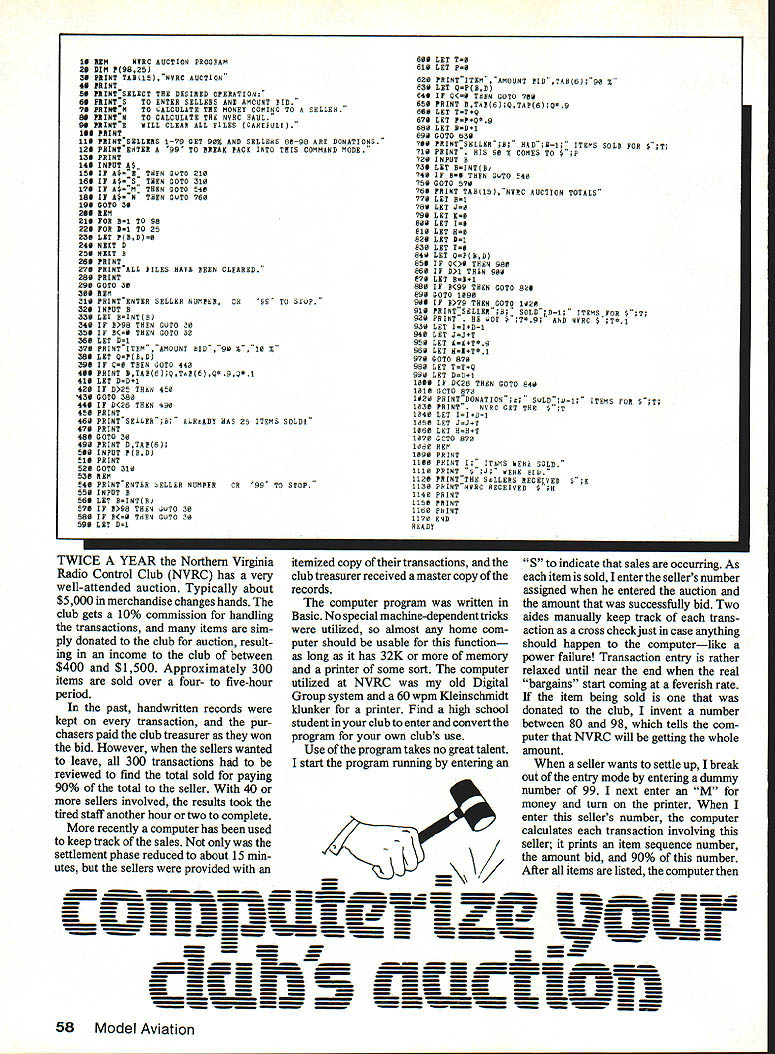
System requirements and program
- The program was written in BASIC, using no special machine-dependent tricks.
- Any home computer with 32K or more of memory and a printer should be usable.
- NVRC used a Digital Group system and a 60 wpm Kleinschmidt printer.
- Convert or adapt the program if needed; a high school student in the club can usually handle conversion for a particular machine.
Operating the program
- Start the program running; enter "S" to indicate sales are occurring (sales mode).
- As each item is sold, enter the seller's assigned number and the successful bid amount.
- Two aides manually record each transaction as a cross-check in case of computer failure (power outage, etc.).
- Entry is relaxed until near the end, when transaction rate increases.
- For donated items (club-owned), assign a number between 80 and 98. This tells the computer NVRC receives the entire amount.
- To break out of entry mode when a seller wants to settle, enter the dummy number 99.
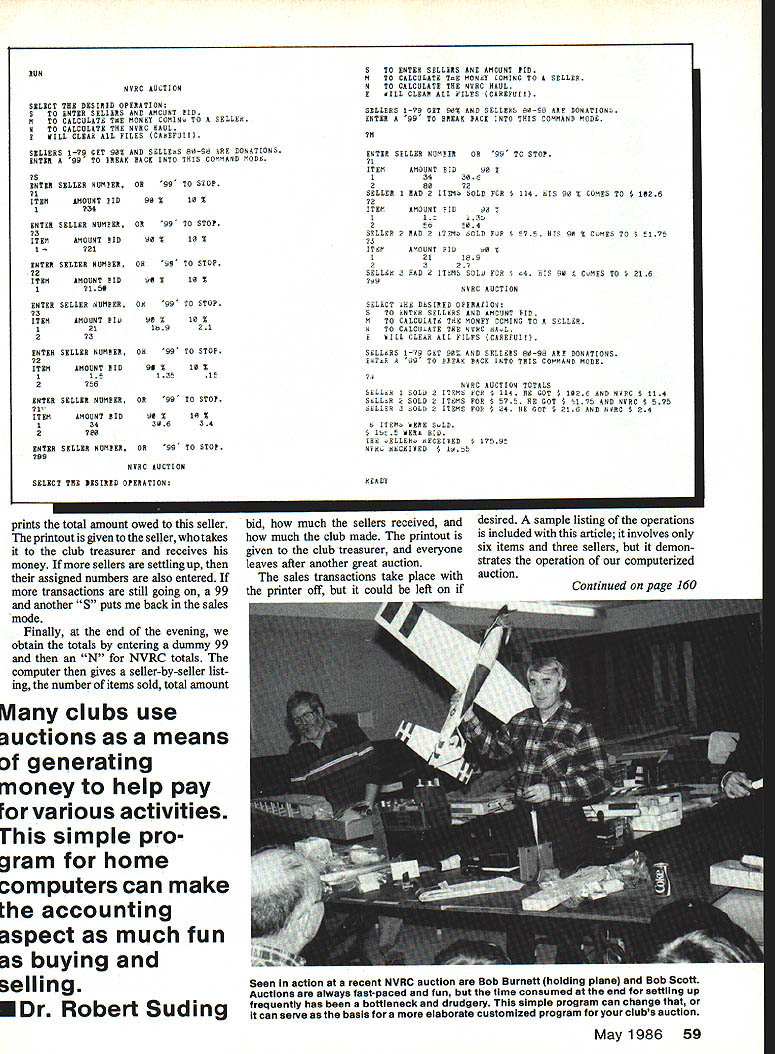
- Enter "M" for money and turn on the printer. Enter the seller's number:
- The computer prints each transaction involving that seller: an item sequence number, the amount bid, and 90% of that amount.
- After all items are listed, the computer prints the total amount owed to the seller.
- Give the printout to the seller, who takes it to the treasurer to receive payment.
- Repeat for additional sellers as needed.
- If sales are still ongoing after settlements, enter 99 and then "S" to return to sales mode.
End-of-evening totals
- At the end of the evening, enter the dummy 99 and then "N" for NVRC totals.
- The computer prints a seller-by-seller listing showing:
- Number of items sold
- Total amount bid
- How much the sellers received
- How much the club made
- The printout is given to the treasurer.
Notes:
- Sales transactions are normally entered with the printer off (to speed entry), but the printer can be left on if desired.
- A sample listing in the original article demonstrates operation using six items and three sellers.
Assumptions and limitations
- The program assumes a maximum of 79 sellers, each with a maximum of 25 items (set by the DIM statement in Line 20 of the program).
- NVRC typically stays under these limits, except for a few sellers with many small items. The workaround is to assign a second dummy number when an individual's item count nears 25 and add the real and dummy totals at settlement.
- If more memory is available, increase the dimension sizes or use a different table system to avoid this limitation.
Possible improvements
- Periodically off-load data to disk to reduce the risk of data loss from power failure.
- Add a "tab" system so sellers could charge purchases against deposited earnings.
- Modify or expand the program to suit a club's specific needs (higher limits, different print formats, etc.).
Many clubs use auctions as a source of revenue for activities. This simple BASIC program for home computers can make the accounting aspect nearly as much fun as buying and selling.
Dr. Robert Suding
Transcribed from original scans by AI. Minor OCR errors may remain.

