
RADIO CONTROL HELICOPTERS
Paul Tradelius, 4620 Barracuda Dr., Bradenton FL 34208 E-mail: flytrade@earthlink.net
It's always nice to get E-mail from you, the reader and fellow helicopter flier, to get your viewpoint on the subjects I write about. It also shows me that someone really does read what I write.
I got several E-mails from Stephen Meiman about the problem he's having getting the right mixture setting on his O.S. .32FH. He said that the engine wouldn't respond well to throttle changes, and the top end left a lot to be desired.
As you may remember from my previous columns, the relationship between the collective pitch curve and the power being produced by the engine is critical to a good-flying helicopter. If the pitch comes in too soon it overloads the rotor system, increasing the drag on the rotor blades to the point where the engine can't get up to speed to produce any power.
Remember, an engine doesn't produce much power at idle, and needs full rated rpm to produce full rated power. That's why it's important to have negative pitch at idle so as the throttle is increased the pitch will increase through 0°, thereby streamlining the blades so they can accelerate to operating rpm.
Stephen then sent me the following message:
"My question concerns the pinch test. This is a great test for the idle, but will it work for the high-end mix as well? If you recall, I have had some trouble with engine power. After I got my 8UHFS and began adjusting the pitch and throttle curves ... I noticed the power in the high end was still lacking ... I have a test mount for break-in and I used this to adjust the idle mixture and the high end.
"I am using a 9 x 7 prop. Should the full throttle pinch test do the same as the idle? I've got it to the point that pinching at full throttle will cause speedup for about 3/4 second—then it starts to die. The 32SX-H was very out of adjustment, perhaps the root of all my power problems."
Although I am not a fan of using a test stand to set the mixtures on an engine, I replied that he could at least get the engine in the ballpark using the pinch test with a prop. The idea here would be to run the engine at full speed, carefully pinch the fuel line, and listen to what happens to the engine. Ideally it should be just slightly on the rich side of max power output, so the engine should rise in rpm just slightly before starting to die.
Stephen's rise in rpm for about 3/4 second sounds about right. However, the problem with such a pinch test on the test stand is that the engine probably isn't loaded as it will be in the helicopter, which can cause the mixture to be off slightly. But at least this will get you close, with final adjustments made later with the engine in the helicopter.
I was then surprised to get this next message from Stephen: he had used a wooden ladder and strapped the skids down to that to make adjustments. After he put it back on the ground it flew okay, still bogging down, but not like it did on the test.
Please never try to attach a helicopter to anything to adjust the engine or other parts of the helicopter — very dangerous. There are horror stories about people getting severely hurt or worse in an instant doing what they thought was completely safe.
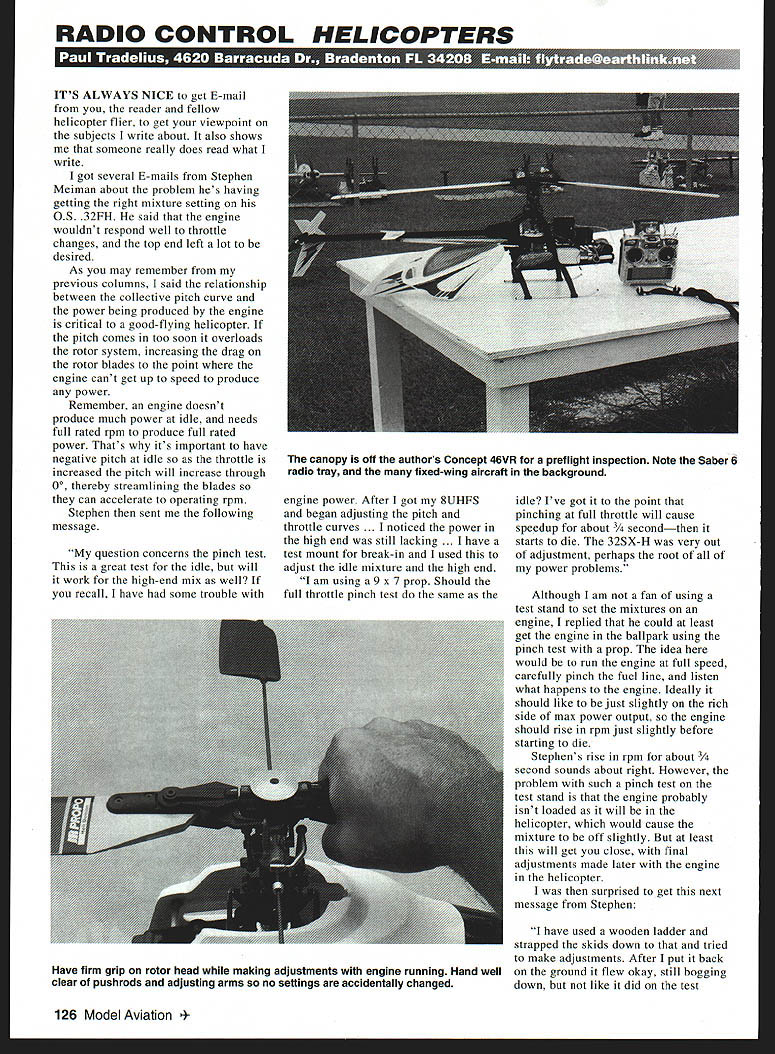
If you ever read the book Basics of Radio Control Helicopters you will remember I recommend standing a minimum of 15 feet from the helicopter when it is hovering; I wouldn't recommend getting closer unless the blades have stopped turning or someone has a firm grip on the rotor head. Should the engine accidentally speed up for some reason — one case involved a fellow with a 30-size helicopter on the ground who grabbed the tail rotor gearbox, tilted the helicopter up on the front skids, added power to bring the blades up to speed — somehow the main rotor blades hit his hand, breaking small bones. He needed reconstructive surgery and years of therapy; after many surgeries his hand has still not healed properly and has only partial use. This is an example of how one can become complacent about the dangers helicopters possess.
On a routine basis I see people standing within five feet of hovering helicopters, giving no time to escape should a malfunction occur. I have seen expert fliers touch helicopters while hovering, others hovering over bystanders to take photos, etc. I'm certainly glad for the opportunity to converse with Stephen on the subject; I feel strongly about this and just bring it up again for everyone's benefit. I know we've been talking a lot about safety lately — it's the only way we can really enjoy the hobby and keep everything OK.
Although I have many strong opinions on the subject, I'm not too old to remember back the 20-plus years ago when I got started in helicopters. We were in the Air Force stationed in Germany, and my son wanted to try helicopters, since they were new and we were used to flying fixed-wings. Our first helicopter was a Kalt Barron 20, which we proceeded to tether to a card table to keep it under control as we tried to make adjustments in our garage. Since it was the winter, and snowing outside, we closed the garage door, but it soon filled with exhaust smoke. No problem — I just went in the house and got a couple of gas masks, and we gave it another try.
It wasn't long before the smoke was so thick we couldn't even see the helicopter, and when we opened the garage door, our neighbors thought the house was on fire from all the smoke. It sure seems funny now when I think back on it, but it seemed perfectly normal at the time. This is what can happen when you get too impatient, and it happens to all of us.
Safety tips:
- Never attach a helicopter to a fixed object to run or adjust it.
- Stand at least 15 feet from a hovering helicopter; don't approach until the blades have stopped or someone has a firm grip on the rotor head.
- Use a test stand with a prop for pinch tests if needed, but expect different loading than in-flight; make final mixture adjustments with the engine mounted in the helicopter.
Helicopter Simulator
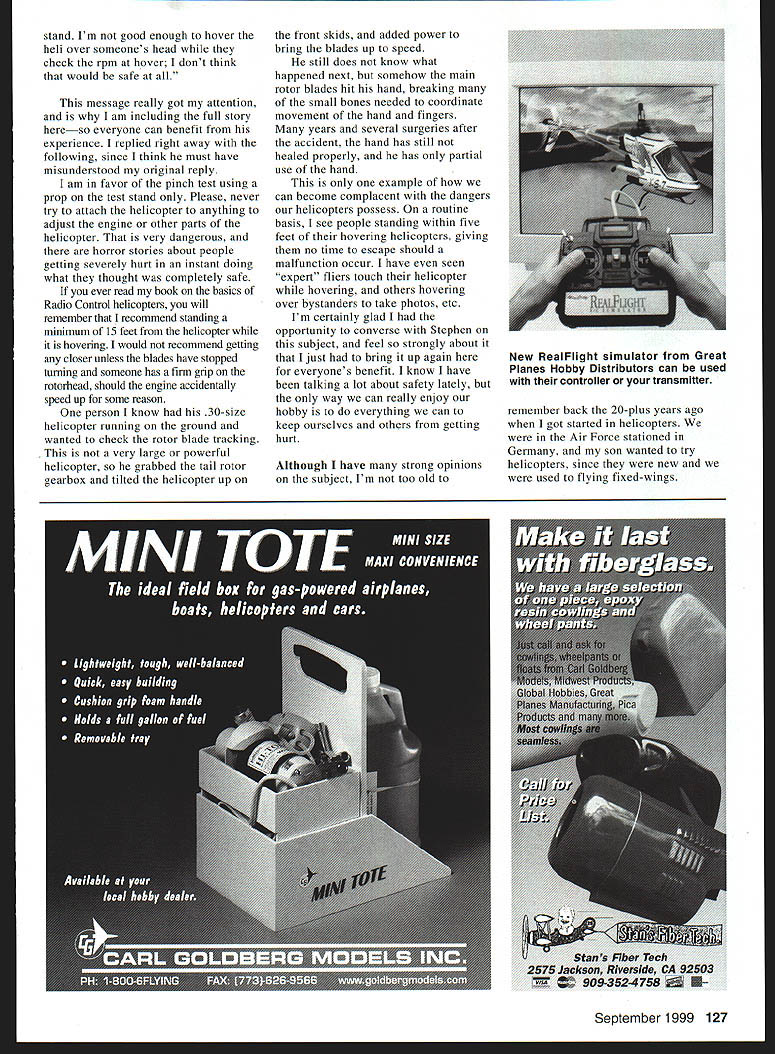
I just got another nice E-mail from Heather Rose, the Marketing Publicity Coordinator for Great Planes Model Distributors, describing some of the latest features on their new RealFlight Deluxe R/C Flight Simulator.
Although I have not had a chance to see or use the simulator myself, I would like to do a column on it in the future, because it appears to have some unique features to make our flying more fun and productive. Made to be used with a Pentium 200 or better using Windows 95/98, this simulator is available with its own controller, or you can use your own transmitter.
I would certainly prefer to use my own transmitter if possible, since then I would get used to my sticks, trims, switches, etc. However, I can imagine someone just getting into helicopters might like to try flying on the computer before buying the real thing.
For those of you who have the original RealFlight simulator, a CD is available to upgrade to the latest version. This includes some awesome graphics that allow you to actually see the servos inside the helicopter, and watch the rotor blades come up to speed and blur as you advance the throttle. The helicopter will even emit smoke just like the real machines.
And naturally it will work with just about any transmitter out there, providing a large range of adjustments to the helicopter so it will fly just the way you want. For more info please contact your local dealer, or visit the RealFlight Web site at www.realflight.com.
Tail Rotor Comp
One of the new fliers at our club field was having a problem with his new helicopter. No matter what he did, he just couldn't get it to hover correctly, and some other fliers who gave it a try had the same problem.
He then took the next logical step and went through the instruction manual again to make sure he assembled everything correctly, and he still could not find the problem.
When he brought the helicopter over for me to take a look, I knew the problem couldn't be very serious, because it was a very popular 30-size helicopter with a reputation as a great flier. So I suggested that rather than looking at each nut and bolt, we step back and take a look at the "big picture".
I started by watching the swashplate and rotor blades while moving the cyclic and collective. Everything looked fine with the rotor head. The tail rotor was next, and moving the stick from side to side gave the proper change to the tail rotor blades.
However, when I changed the collective, the pitch of the tail rotor blades changed in the wrong direction. That meant he had the tail rotor compensator (tail rotor comp) on, and it was adjusted backward.
For those unfamiliar: the tail rotor comp function on your radio automatically changes the tail rotor pitch as the collective is changed. Imagine the helicopter in a hover and you add collective to climb. This increases the torque on the main rotor and would cause the helicopter to yaw unless a correction is made to the tail rotor. By adjusting the tail rotor comp so it increases tail rotor pitch slightly as the helicopter climbs, and reduces pitch slightly as it descends, the nose of the helicopter will stay straight ahead. If reversed, the nose will swing the wrong way with climb and descent.
The solution, especially for a novice who will only be hovering and not climbing and descending much, is to turn off the tail rotor comp altogether. This completely cured the problem, and I explained how to make the adjustments should he decide to use this feature in the future.
So if your helicopter is not flying the way you would like, try standing back, take a look at the big picture, and see if you can spot something that just doesn't look right.
Transcribed from original scans by AI. Minor OCR errors may remain.

