
Radio Technique
George M. Myers
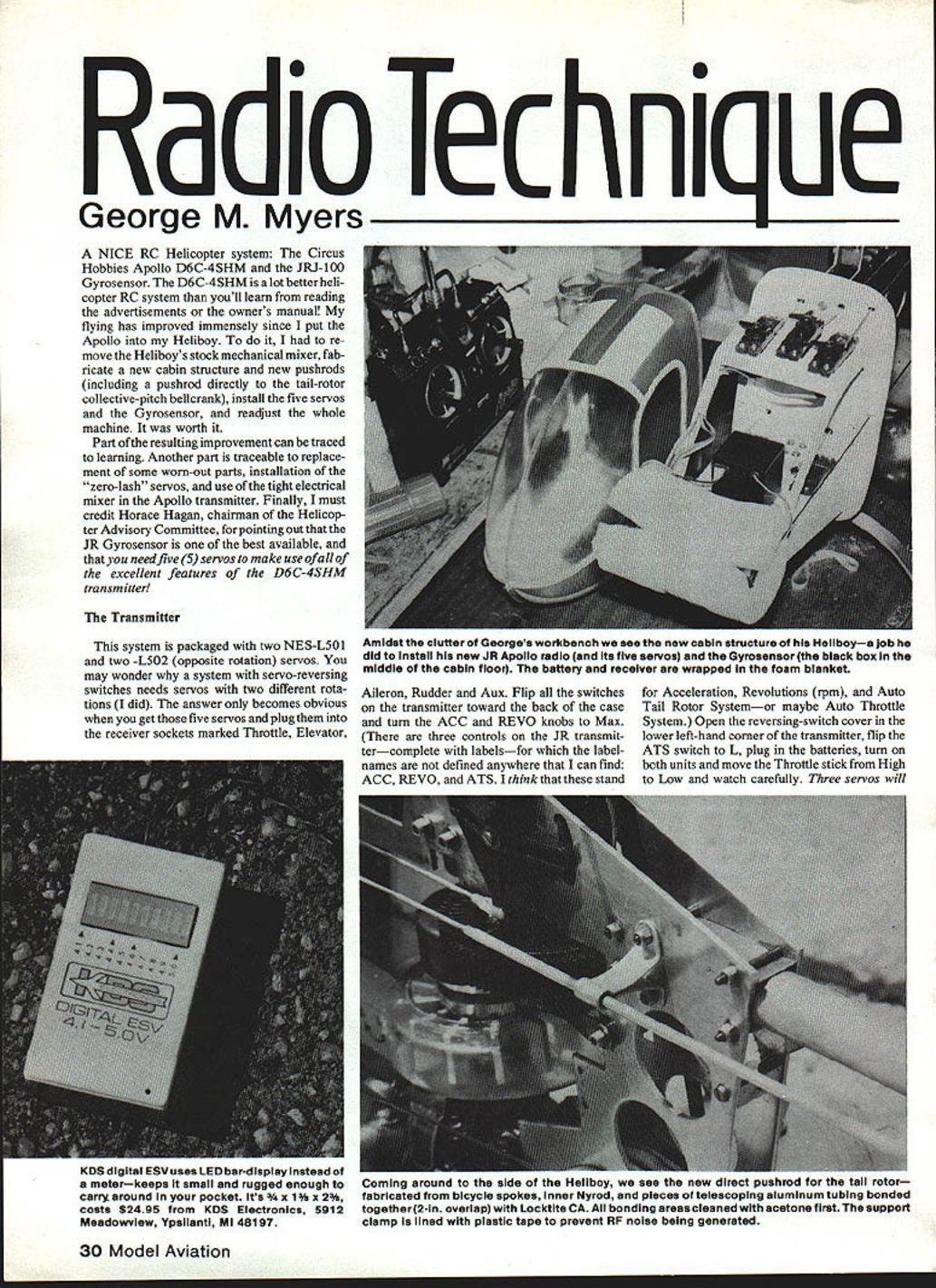
A nice RC helicopter system: the Circus Hobbies Apollo D6C-4SHM and the JRJ-100 gyrosensor. The D6C-4SHM is a much better helicopter RC system than you'll learn from reading the advertisements or the owner's manual. My flying improved immensely after installing the Apollo in my Heliboy. To do the installation I removed the Heliboy's stock mechanical mixer, fabricated a new cabin structure and new pushrods (including a pushrod directly to the tail-rotor collective-pitch bellcrank), installed five servos and the gyrosensor, and readjusted the whole machine. It was worth the effort.
Part of the resulting improvement comes from learning to set up the system. Another part comes from replacing worn parts, installing zero-lash servos, and using the tight electrical mixer in the Apollo transmitter. Finally, credit to Horace Hagan, chairman of the Helicopter Advisory Committee, for pointing out that the JR gyrosensor is one of the best available — and that you need five servos to make use of all the excellent features of the D6C-4SHM transmitter.
The Transmitter
The system ships with two NES-L501 and two L502 (opposite rotation) servos. You may wonder why a system with servo-reversing switches needs servos with two different rotations. The answer becomes obvious when you plug the five servos into the receiver sockets marked Throttle, Elevator, Aileron, Rudder, and Aux and begin testing.
Basic setup and observations:
- Flip all the switches on the transmitter toward the back of the case and turn the ACC and REVO knobs to Max.
- Note: the transmitter has three controls labeled ACC, REVO, and ATS for which the manual gives no definitions. I interpret these as Acceleration (ACC), Revolutions (rpm) (REVO), and Auto Tail System or Auto Throttle System (ATS).
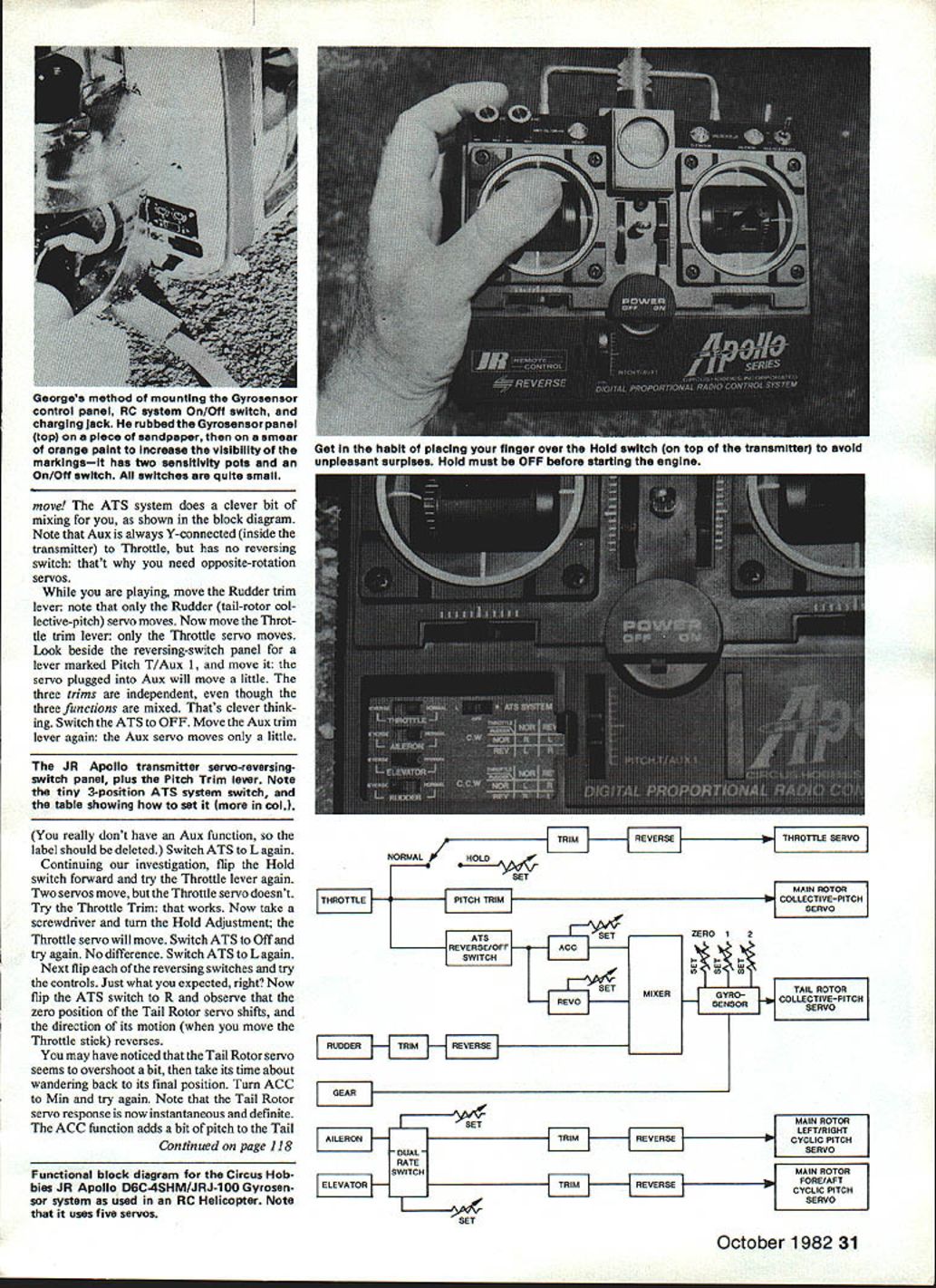
- Open the reversing-switch cover in the lower left-hand corner of the transmitter, flip the ATS switch to L, plug in the batteries, turn on both units, and move the Throttle stick from High to Low while watching the servos.
Observations from the initial test:
- Three servos move when you move the Throttle stick.
- The Throttle servo moves. Beside the reversing-switch panel is a lever marked Pitch T/Aux 1 — moving this lever moves the servo plugged into Aux slightly. The three trims are independent even though three functions are mixed, which is clever.
- With ATS OFF, moving the Aux trim lever still moves the Aux servo a little.
- There is no Aux function label on the transmitter; that label should be deleted or corrected.
Continuing investigation:
- Flip the Hold switch forward and try the Throttle lever again. Two servos move; the Throttle servo does not.
- Try Throttle Trim — it works. Turning the Hold adjustment with a screwdriver causes the Throttle servo to move.
- Switching ATS OFF makes no difference for that particular test; switch ATS back to L and proceed.
- Flip the reversing switches and check the controls — they behave as expected.
ATS R behavior and ACC adjustment:
- Flip the ATS switch to R and observe: in the zero position the Tail Rotor servo changes direction of motion when you move the Throttle stick — the Tail Rotor servo reverses direction in that setting.
- You may notice the Tail Rotor servo overshoots a bit and is slow to return to its final position. Turning the ACC control improves this response: the Tail Rotor servo becomes much more instantaneous and the ACC adjustment adds a bit of pitch response.
Tail-Rotor Pushrod and Installation
The new direct pushrod for the tail rotor was fabricated from bicycle spokes, inner Nyrod, and pieces of telescoping aluminum tubing bonded together with Loctite CA, with about a 2 in. overlap at joints. All bonding areas were cleaned with acetone before bonding. The support clamp is lined with plastic tape to prevent any electrical contact that might generate RF noise.
REVO Function
REVO appears to add a short-term compensation to the Tail Rotor to make up for the lag in accelerating the rotor system to a new rpm when the Throttle setting is changed.
Practical REVO observations:
- With the Throttle stick at High, rotating the REVO knob between Max and Min moves the Tail Rotor servo.
- With the Throttle stick at Low, rotating REVO moves the Tail Rotor servo the same amount but in the opposite direction.
- With the Throttle stick centered, rotating REVO produces no movement.
- Since most people set their helicopter to hover with the Throttle at mid-position, REVO has no effect on hovering — an important point to realize.
Transcribed from original scans by AI. Minor OCR errors may remain.

