
RC Flying Today
George M. Myers
Why care about CAD?
When people discuss CAD (Computer Aided Drawing) software, you have a right to ask, "Why should I care?"
You are not afraid to use a computer, and CAD is one way to do it. Drawing is one way to communicate information. Universal drawing conventions represent a three-dimensional world on a two-dimensional sheet of material. Those conventions extend language. You want to learn to draw, swiftly and accurately, so that you can communicate better. Think of a map: people understand maps, whether or not they speak the language of the map-maker. Maps are a sketch of reality.
The Swiss Army Knife of CAD Software
Recently, I received DesignCAD 2-D version 6. It is a full-featured drawing tool capable of making precise drawings. In the box of books was The DesignCAD Resource & Applications Reference Book. It contains descriptions of about 350 add-on software packages, ranging from animation drawings through vinyl cutting for signs. The prices of the add-ons range from $10 to $20,000! DesignCAD 2-D is relatively inexpensive at $349.95.
The long list of add-ons indicates that many people have been using DesignCAD and extending its capabilities. I should point out that the add-ons come from worldwide sources, including American Small Business Computers, Inc. If that company name sounds familiar, it's because they produce DesignCAD 2-D and ModelCAD (which has been advertised in Model Aviation for years).
Two of its add-ons are Scanover (see MA, December 1992) and Aerodraw 2D. Scanover helps trace drawings that have been scanned into the computer. Aerodraw 2D helps draw airplane parts, such as bulkheads and wing ribs, and contains a library of airfoils (Eppler, NACA 4-digit and 6-series, Clark Y, X, Y and others). See Windsoft ads in this magazine for other products.
Some thoughts on CAD in the drawing process
When working at a drawing board, you think about the information developing before your eyes. You imagine what will be, then describe your image graphically according to rules that are understood by those who will build it. If you draw it right, they can build it.
The "chore" in drafting lies in doing it over. You work hard to put a group of lines exactly where you think they should be, only to discover that they must be changed. You must erase and redraw or copy what is good, and go on from there. That is where the computer really shines. Hit a few keys, and the deed is done. No eraser crumbs in your coffee.
Sometimes you have to redraw the same detail (for example, tapered-wing ribs) in several places. The computer captures the image, scales it as necessary, and copies it wherever you want, again with a couple of keystrokes.
A persistent problem for the draftsman is accurately drawing long parallel and perpendicular lines. Think of the border around a drawing. A customer's faith can be spoiled just by putting down a crooked border. Again, the computer makes this easy, because your work in a coordinate system is always perfect. It's a bit like working on a large piece of graph paper.
In the old days, a finished paper drawing was a mess. Graphite from the pencil lead was smeared everywhere. The surface was abused by the impressions of lines and the remains of erasures. So the finished drawing was traced on linen, using India ink. That was copied by a blueprint or Ozalid process to make prints for the mechanics. Today, working prints can be made on paper or mylar just by pushing a few buttons.
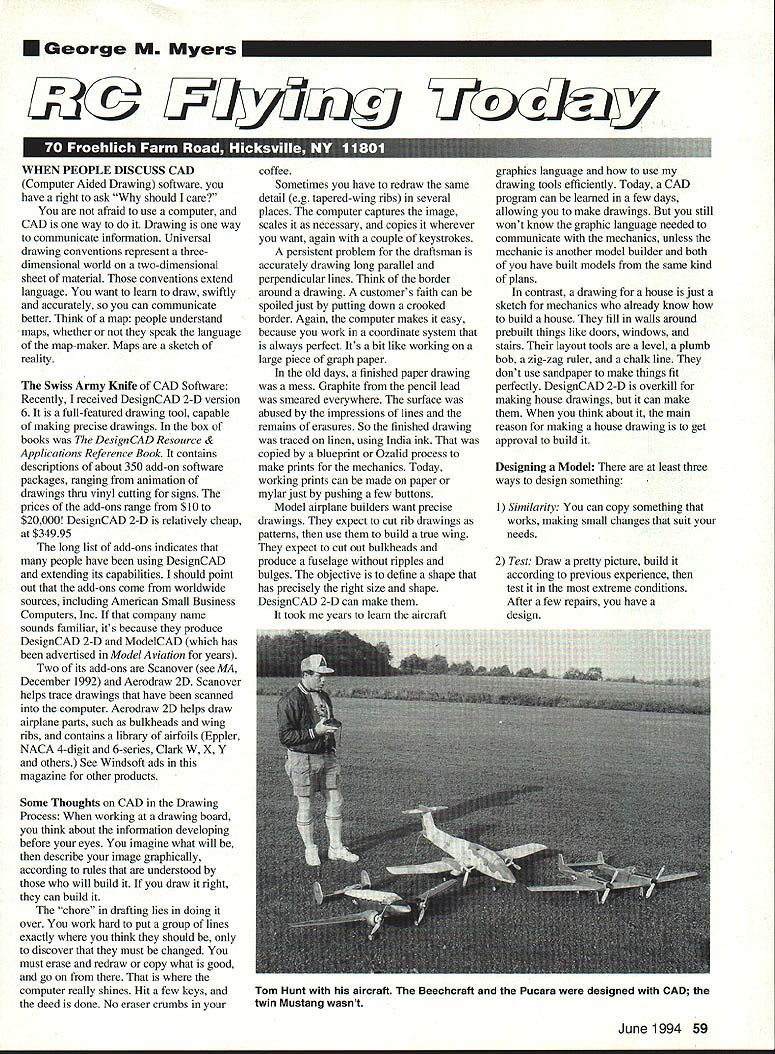
Model airplane builders want precise drawings. They expect to cut rib drawings as patterns, then use them to build a true wing. They expect to cut out bulkheads and produce a fuselage without ripples and bulges. The objective is to define a shape that has precisely the right size and form. DesignCAD 2-D can make them.
It took me years to learn the aircraft graphics language and how to use my drawing tools efficiently. Today, a CAD program can be learned in a few days, allowing you to make drawings. But you still won't know the graphic language needed to communicate with the mechanics, unless the mechanic is another model builder and both of you have built models from the same kind of plans.
In contrast, a drawing for a house is just a sketch for mechanics who already know how to build a house. They fill in walls around prebuilt things like doors, windows and stairs. Their layout tools are a level, a plumb bob, a zig-zag ruler, and a chalk line. They don't use sandpaper to make things fit perfectly. DesignCAD 2-D is overkill for making house drawings, but it can make them. When you think about it, the main reason for making a house drawing is to get approval to build it.
Designing a model
There are at least three ways to design something:
- Similarity: You can copy something that works, making small changes that suit your needs.
- Test: Draw a pretty picture, build it according to previous experience, then test it in the most extreme conditions. After a few repairs, you have a design.
- Analysis: Have equations accurately predict results. You can put equations together — a math model — programs for weight balance, performance, stability, control, stress analysis to test ideas. Math modeling develops the design.
Drawing a model airplane
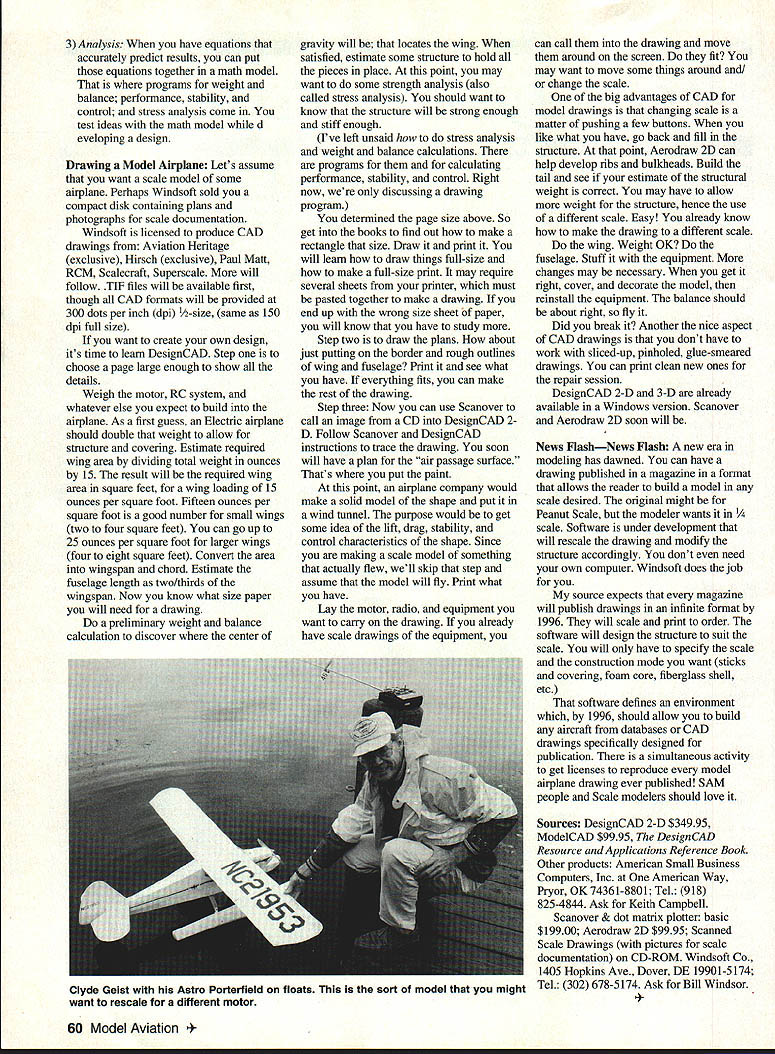
Let's assume you want a scale model of some airplane.
Windsoft is licensed to produce CAD drawings from Aviation Heritage (exclusive), Hirsch (exclusive), Paul Matt, RCM, Scalecraft, Sullerscale, and more will follow. .TIF files will be available first, though all CAD formats will be provided at 300 dots per inch (dpi) at 1/2-size (same as 150 dpi full size).
If you want to create your own design, it's time to learn DesignCAD. Step one is to choose a page large enough to show all the details.
Weigh the motor, RC system, and whatever else you expect to build into the airplane. As a first guess, an electric airplane should double that weight to allow for structure and covering. Estimate required wing area by dividing total weight in ounces by 15. The result will be the required wing area in square feet, for a wing loading of 15 ounces per square foot. Fifteen ounces per square foot is a good number for small wings (two to four square feet). You can go up to 25 ounces per square foot for larger wings (four to eight square feet). Convert the area into wingspan and chord. Estimate the fuselage length as two-thirds of the wingspan. Now you know what size paper you will need for a drawing.
Do a preliminary weight and balance calculation to discover where the center of gravity will be; that locates the wing. When satisfied, estimate some structure to hold all the pieces in place. At this point, you may want to do some strength analysis (also called stress analysis). You should want to know that the structure will be strong enough and stiff enough.
I've left unsaid how to do stress analysis and weight and balance calculations. There are programs for them and for calculating performance, stability, and control. Right now, we're only discussing a drawing program.
You determined the page size above. So get into the books to find out how to make a rectangle that size. Draw it and print it. You will learn how to draw things full-size and how to make a full-size print. It may require several sheets from your printer, which must be pasted together to make a drawing. If you end up with the wrong size sheet of paper, you will know that you have to study more.
Step two is to draw the plans. How about just putting on the border and rough outlines of wing and fuselage? Print it and see what you have. If everything fits, you can make the rest of the drawing.
Step three: Use Scanover to call an image from a CD into DesignCAD 2-D. Follow Scanover and DesignCAD instructions to trace the drawing. You soon will have a plan for the "air passage surface." That's where you put the paint.
At this point, an airplane company would make a solid model of the shape and put it in a wind tunnel to get an idea of the lift, drag, stability, and control characteristics of the shape. Since you are making a scale model of something that actually flew, we'll skip that step and assume that the model will fly. Print what you have.
Lay the motor, radio, and equipment you want to carry on the drawing. If you already have scale drawings of the equipment, you can call them into the drawing and move them around on the screen. Do they fit? You may want to move some things around and/or change the scale.
One of the big advantages of CAD for model drawings is that changing scale is a matter of pushing a few buttons. When you like what you have, go back and fill in the structure. At that point, Aerodraw 2D can help develop ribs and bulkheads. Build the tail and see if your estimate of the structural weight is correct. You may have to allow more weight for the structure, hence the use of a different scale. Easy! You already know how to make the drawing to a different scale.
Do the wing. Weight OK? Do the fuselage. Stuff it with the equipment. More changes may be necessary. When you get it right, cover and decorate the model, then reinstall the equipment. The balance should be about right, so fly it.
Did you break it? Another nice aspect of CAD drawings is that you don't have to work with sliced-up, pinholed, glue-smeared drawings. You can print clean new ones for the repair session.
DesignCAD 2-D and 3-D are already available in a Windows version. Scanover and Aerodraw 2D soon will be.
News flash
A new era in modeling has dawned. You can have a drawing published in a format that allows the reader to build a model in any scale desired. The modeler wants it in 1/4 scale. Software is under development that will rescale the drawings and modify the structure accordingly. You don't even need your own software. Windsoft does the job for you.
If your source expects that every magazine will publish drawings in an infinite format by 1996, they will scale and print to order. The software will design the structure to suit the scale. You will only have to specify the scale and the construction mode you want (sticks and covering, foam core, fiberglass shell, etc.).
That software defines an environment which, by 1996, should allow you to build any aircraft from databases or CAD drawings specifically designed for publication. There is a simultaneous activity to get licenses to reproduce every model airplane drawing ever published. SAM people and scale modelers should love it.
Sources
- DesignCAD 2-D: $349.95
- ModelCAD: $99.95
- The DesignCAD Resource and Applications Reference Book
Other products and vendors:
- American Small Business Computers, Inc.
- Address: One American Way, Pryor, OK 74361-8801
- Tel.: (918) 825-4844
- Ask for Keith Campbell
- Windsoft Co.
- Scanover & dot matrix plotter basic: $199.00
- Aerodraw 2D: $99.95
- Scanned Scale Drawings (with pictures for scale documentation) on CD-ROM
- Address: 1405 Hopkins Ave., Dover, DE 19901-5174
- Tel.: (302) 678-5174
- Ask for Bill Windsor
Transcribed from original scans by AI. Minor OCR errors may remain.

