
Technical Review - 2004/11
Author
Bob Aberle E-mail: baberle@optonline.com
Product overview
FMA DIRECT's Flight Systems 5 (FS5) is a new concept in RC receiver circuit design and the company's newest aftermarket RC receiver. Designed to work with almost any FM (Pulse Position Modulation, PPM) transmitter, the FS5 lets owners use one transmitter to operate multiple aircraft equipped with individual receivers. The current model provides five channels; an eight-channel-capable version will be available soon.
Specifications
- Size: 1 5/8" long × 1 3/16" wide × 9/16" high
- Weight: 0.4 ounce
- Circuitry: FM dual-conversion
- Channels: 5 (8-channel version forthcoming)
- Universal operation: Automatically handles high- or low-deviation FM systems (e.g., Futaba/Hitec and JR/Airtronics)
Pricing and crystals
- FS5 receiver (part 905FM72): $99.95
- Operating crystal (part RXQTM72-XX, where "XX" is the channel number): $12.95 (purchased separately)
Digital Signal Recognition (DSR)
One of the FS5's distinctive features is a proprietary Digital Signal Recognition (DSR) circuit. DSR measures and stores your transmitter's unique signal characteristics and continuously compares incoming signals to that stored "signature." The DSR is intended to reject signals from sources other than your transmitter.
In informal testing with a second transmitter on the same frequency:
- A nearby interfering transmitter caused the FS5 to sense massive interference and enter fail-safe.
- With the interfering transmitter at a greater distance, I was able to maintain control while the DSR worked to preserve primary control.
Overall, the FS5 provides significant protection against direct on-channel interference.
Fail-safe behavior and presets
The FS5 brings PCM-like fail-safe features to FM systems. When interference occurs or a signal is lost (out-of-range, transmitter dropout, dead battery), the receiver will:
- Freeze all primary controls (aileron, elevator, rudder, and throttle) at their last known positions, preventing jitter or unexpected hard throws.
- Optionally move all controls to user-programmed preset positions for the four primary controls and the auxiliary (fifth) channel.
Preset examples:
- Slight up-elevator, slight right rudder/aileron, and low or idle engine/motor throttle.
Presets are stored in receiver memory and persist after power is turned off until you change them.
Limitations:
- If the aircraft is in a steep turn or dive when fail-safe activates, the preset may not be sufficient to prevent a crash. Presets are intended to keep the aircraft flying long enough for interference to clear.
Integration with Co-Pilot self-stabilizing system
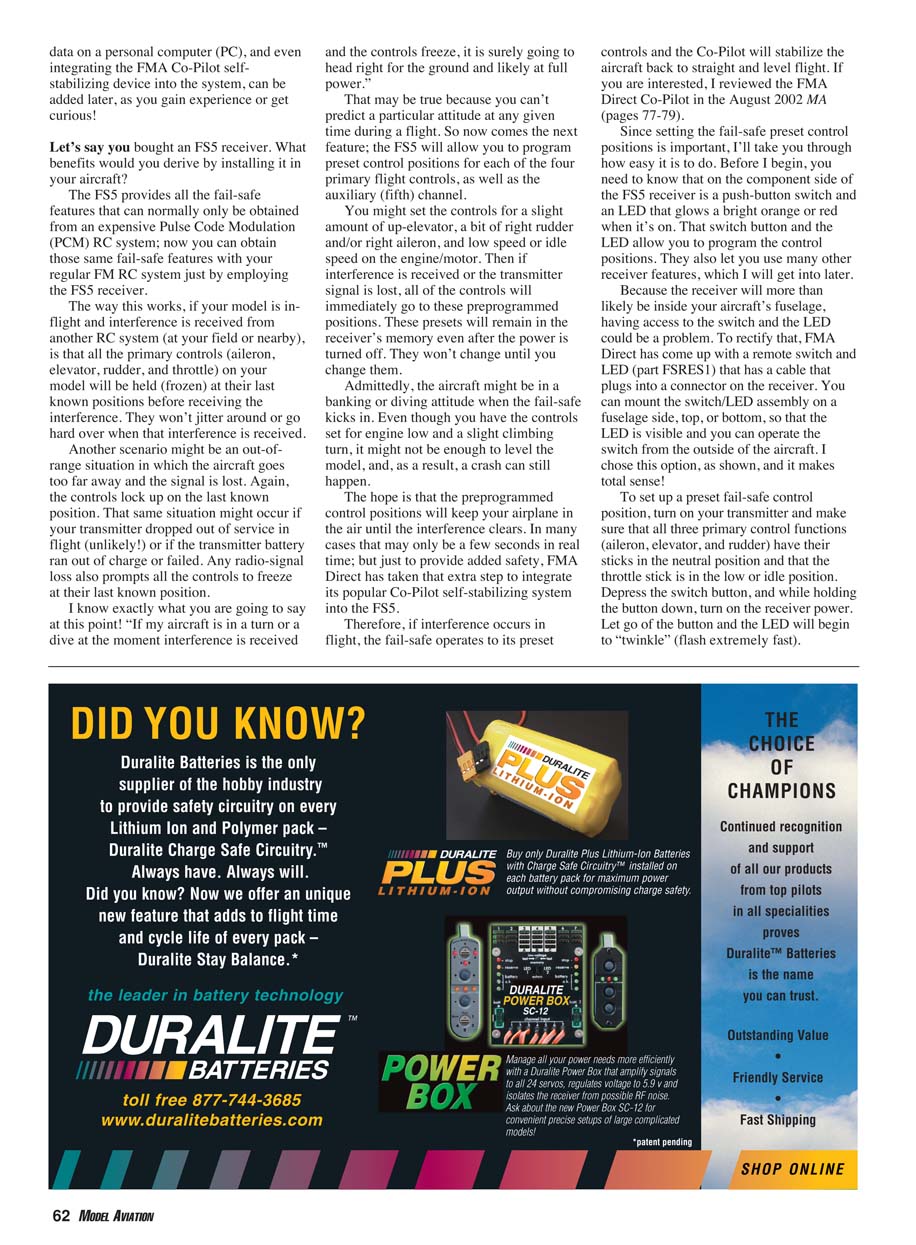
FMA Direct integrates its Co-Pilot self-stabilizing system with the FS5. If interference occurs and fail-safe moves controls to their presets, the Co-Pilot can stabilize the aircraft back to straight and level flight. (The Co-Pilot was previously reviewed in the August 2002 MA, pp. 77–79.)
Programming the presets
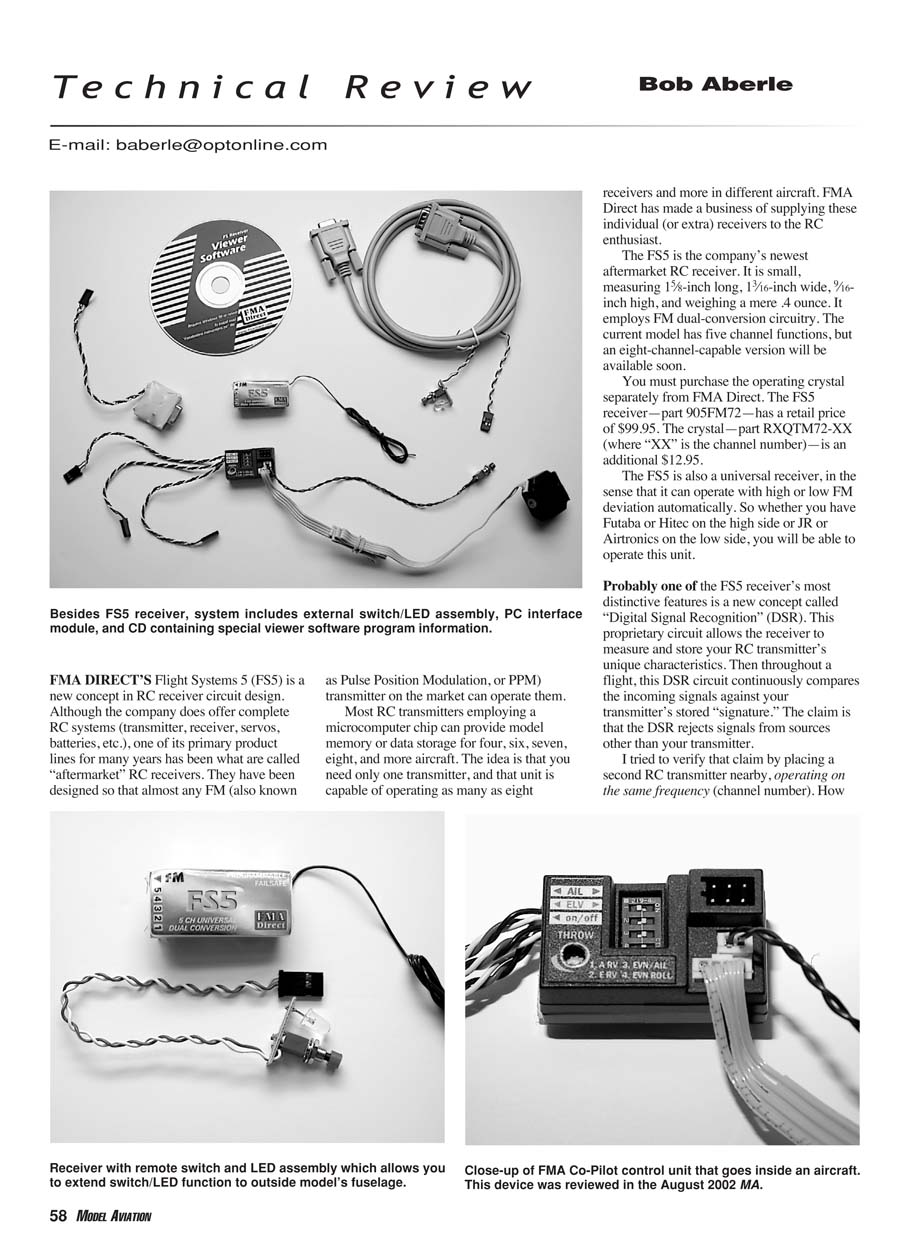
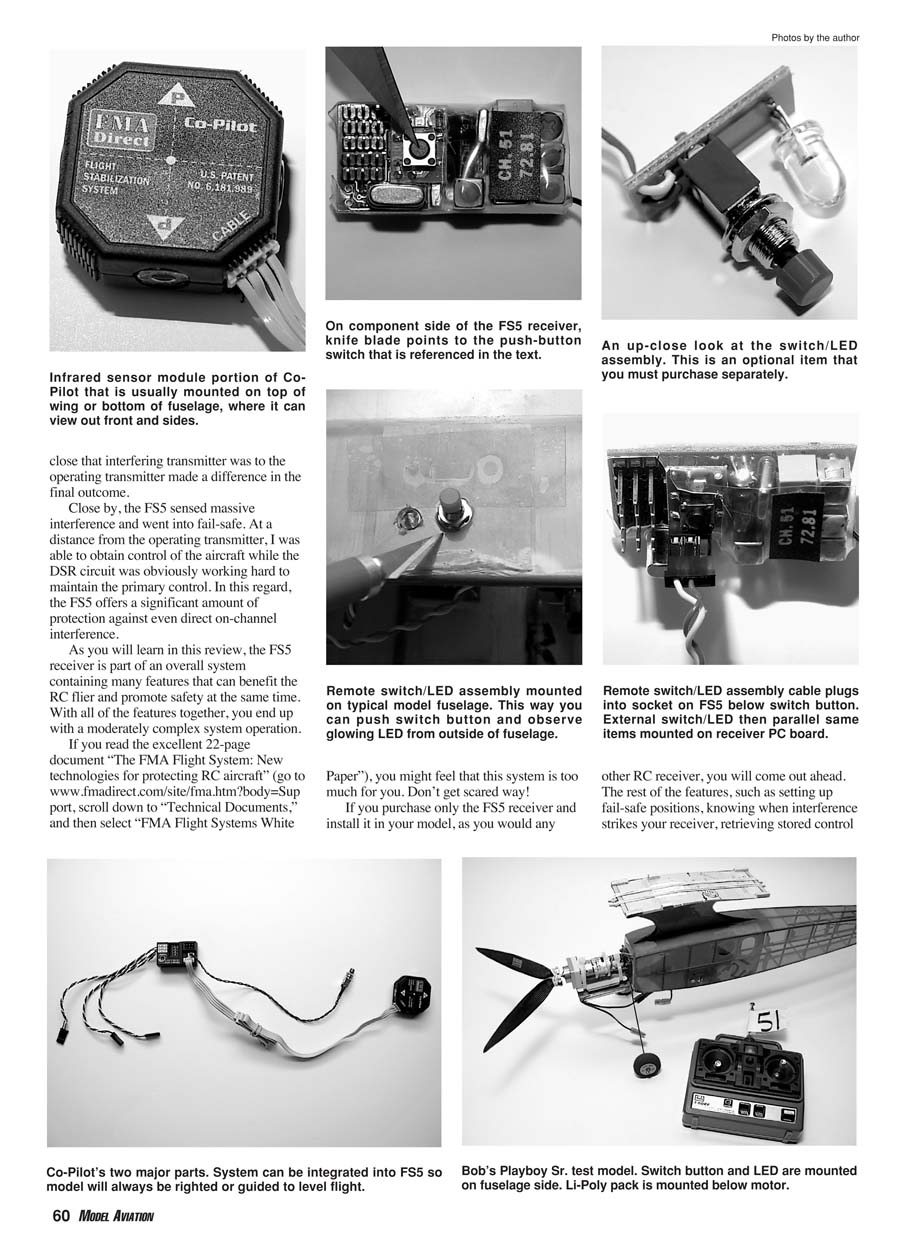
The FS5 uses a push-button switch and an LED on the component side of the receiver to program presets and access other features. Because the receiver is typically inside the fuselage, FMA Direct offers a remote switch/LED assembly (part FSRES1) with a cable and connector for external mounting.
To set preset fail-safe positions:
- Turn on the transmitter. Set aileron, elevator, and rudder sticks to neutral; set throttle to low/idle.
- Depress and hold the receiver’s push-button, then turn on receiver power.
- Release the button. The LED will begin to twinkle (fast flash).
- To program a control (example: up-elevator):
- Apply the desired control position on the transmitter (e.g., hold elevator up).
- Press the receiver button once while holding that position.
- Immediately release the stick so it returns to neutral.
- Turn the receiver power off to exit setup. The preset is now stored permanently until changed.
To verify:
- Power up the receiver with the transmitter on and confirm normal control response.
- Turn off the transmitter to simulate signal loss — the control should move to the preset position.
- Turn the transmitter back on — controls return to normal operation.
LED indicators and diagnostics
The FS5 provides multiple status and diagnostic signals via its single LED:
- Single blink when receiver is powered with transmitter off: frequency is clear — you can proceed to fly.
- Continuous series of blinks: receiver recently experienced interference — investigate before flying (someone may be on your channel).
- Battery voltage readout: press the button once; LED shows a long blink for each 1.0 V and a short blink for each 0.1 V. Example: 4 long + 9 short = 4.9 V.
- Post-flight fail-safe indication: after landing, keep transmitter and receiver on and observe the LED:
- Steady orange/red: no fail-safe events during the flight.
- Blinking: fail-safe occurred; the number of blinks equals the number of fail-safe events.
- Glitch counter: press the button three times to read the number of "bad frames" recorded during the flight.
Notes:
- It takes 50 consecutive bad frames before the receiver enters fail-safe. You can experience bad frames without entering fail-safe.
- Data stored while the receiver is powered is lost when power is removed.
Range checking with the FS5
The FS5 can help perform a more informative ground range check:
- Collapse the transmitter antenna per your normal procedure to reduce range.
- Have an assistant walk out the recommended test distance (e.g., 100 ft) while operating a control (e.g., elevator).
- With transmitter and receiver powered, observe the LED:
- No blinking: pass.
- Blinking: the number of blinks indicates how many bad frames occurred during the test.
If bad frames are detected, investigate common causes (equipment problems, antenna placement near noise sources such as servos).
PC interface and data logging
FMA Direct offers Flight Systems Receiver Viewer software and a PC interface module (part FSI1M) that connects the FS5 (Channel 1 port) to a PC serial port. The package includes a nine-pin serial cable and a CD with the viewer software, intended for Windows 98 or later with Internet Explorer 6.0 or later.
Because receiver data is stored only while powered, it is assumed you will use a laptop at the flying field to download flight data.
Performance and suitability
The FS5 is a compact, lightweight receiver suitable for a wide range of models — from indoor/parking-lot flyers to large 1/4-scale aircraft. Its dual-conversion circuitry offers excellent sensitivity, selectivity, and resistance to second- and third-order intermodulation. Programmable fail-safe and DSR protection are available out of the box.
Options such as the Co-Pilot stabilizer and the PC interface are not required to gain the core features but are available to expand capability.
Summary
The FMA Direct FS5 is an excellent new aftermarket FM receiver that brings PCM-like safety and diagnostics to standard FM users. It is small, lightweight, and packed with features (DSR, programmable presets, LED diagnostics, PC interface compatibility) that can improve safety and situational awareness at the flying field. You can install and use it like any other receiver and add more advanced features later as needed.
Manufacturer
FMA Direct Inc. 5716A Industry Ln. Frederick, MD 21704 Sales: (800) 343-2934 Technical: (301) 668-7614
Transcribed from original scans by AI. Minor OCR errors may remain.

