
Wobble Sticking
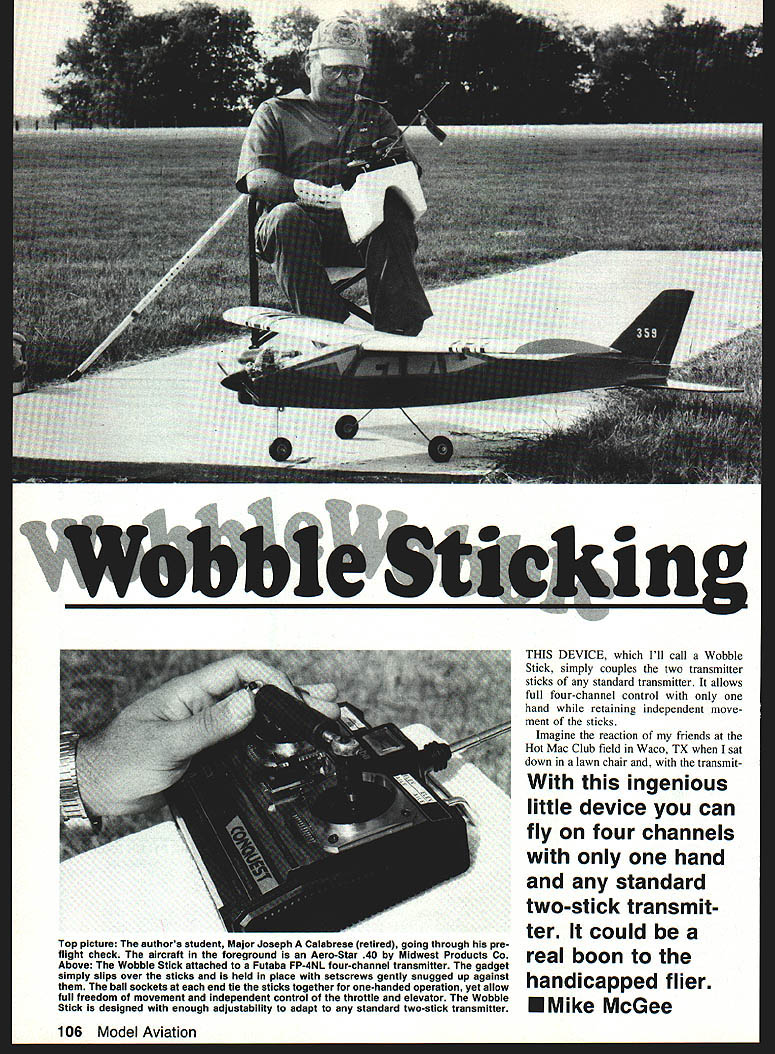
THIS DEVICE, which I'll call a Wobble Stick, simply couples the two transmitter sticks of any standard transmitter. It allows full four-channel control with only one hand while retaining independent movement of the sticks.
Imagine the reaction of my friends at the Hot Mac Club field in Waco, TX when I sat down in a lawn chair and, with the transmitter in my lap and my right hand behind my back, taxied out, took off and flew with only my left hand on the transmitter. The crowd gathered behind, trying to see what I was doing. I began looping, rolling, making stall turns and flying inverted. Finishing a beautiful touchdown, I taxied the plane, killed the engine and started answering battery questions.
With this ingenious little device you can fly on four channels with only one hand and any standard two-stick transmitter. It could be a real boon to the handicapped flier.
— Mike McGee
Overview
Possibly my recollection of the Wobble Stick's debut is a trifle exaggerated, but the fact remains that maneuvers can be accomplished with the same precise control provided by a conventional transmitter. Simple construction and operation are the keys to the Wobble Stick's effectiveness. Instructors need feel no uneasiness about teaching a handicapped person to fly using the device. Any pilot capable of flying a standard two-stick transmitter, either Mode 1 or Mode 2, will be comfortable making two flights with the Wobble Stick.
The unusual aspect about flying with the special stick is that, just as in full-scale aircraft, rudder and ailerons must work together while throttle and elevator remain totally independent. Precise throttle and elevator control are maintained during maneuvers. Handicapped students will find it just as easy to learn to fly the device as will anyone else.
Construction and materials
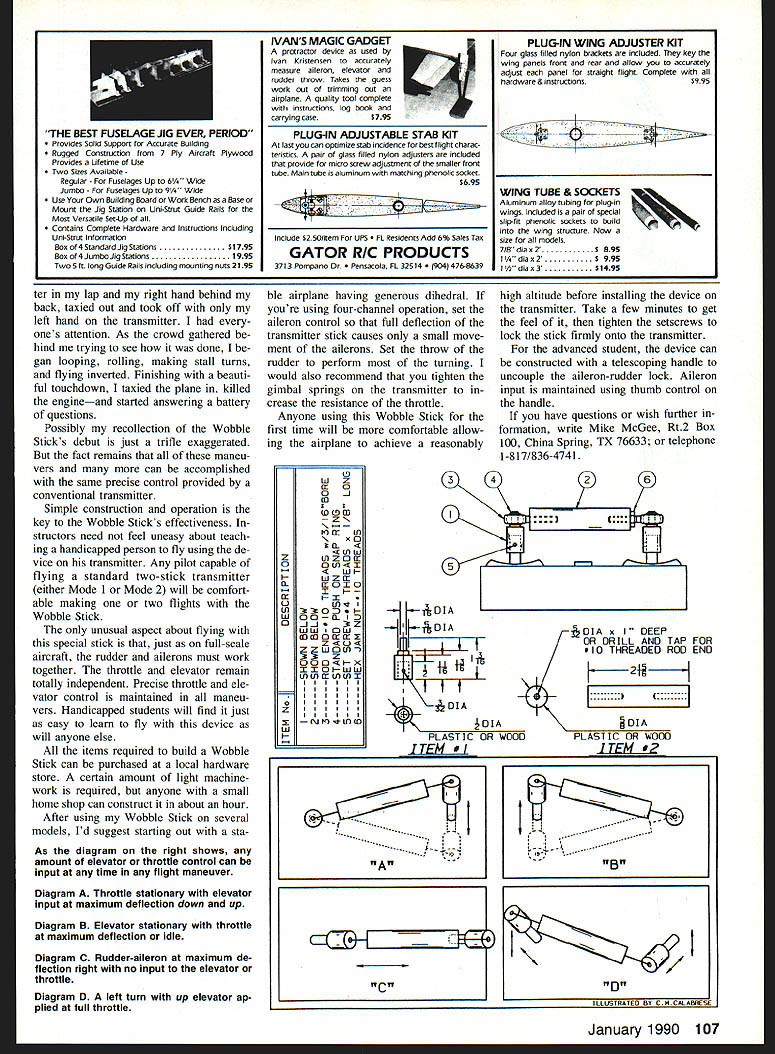
Items required to build the Wobble Stick can be purchased at any local hardware store. A certain amount of light machine work is required; anyone with a small home shop can construct one in about an hour.
For the advanced student, the device can be constructed with a telescoping handle to uncouple the aileron-rudder lock. Aileron input is maintained using thumb control on the handle.
Setup and recommended models
After using the Wobble Stick on several models I'd suggest starting out with a stable airplane having generous dihedral. If you're using four-channel operation, set the aileron control at full deflection on the transmitter so the stick causes only a small movement of the ailerons. Set rudder throw to perform turning. I would also recommend tightening the gimbal springs on the transmitter to increase resistance on the throttle stick.
Anyone using this Wobble Stick for the first time will be more comfortable allowing the airplane to achieve a reasonably high altitude before installing the device on the transmitter. Take a few minutes to get the feel of it, then tighten the setscrews to lock the stick firmly onto the transmitter.
Diagrams (indicated operation limits)
- Diagram A — Throttle stationary; elevator input, maximum deflection down/up.
- Diagram B — Elevator stationary; throttle maximum deflection/idle.
- Diagram C — Rudder-aileron maximum deflection right; no input elevator/throttle.
- Diagram D — Left turn; up elevator applied; full throttle.
Tips and notes
- Simple construction and straightforward operation make the Wobble Stick suitable for instruction and for handicapped pilots.
- Start on a stable model with generous dihedral.
- Configure transmitter throws so rudder does most of the turning while the coupled stick makes small aileron movements.
- Tighten gimbal springs to increase throttle resistance.
- Before first use, practice flying to a safe altitude and then install and lock the Wobble Stick in place.
Contact
If you have questions or wish further information, write Mike McGee, Rt. 2 Box 100, China Spring, TX 76633; or telephone 1-817-836-4741.
Transcribed from original scans by AI. Minor OCR errors may remain.

